
How to use your access code
Two ways to redeem your delivered code and open your tool — with a screenshot for every step.
There are two ways to use your code — pick whichever suits you
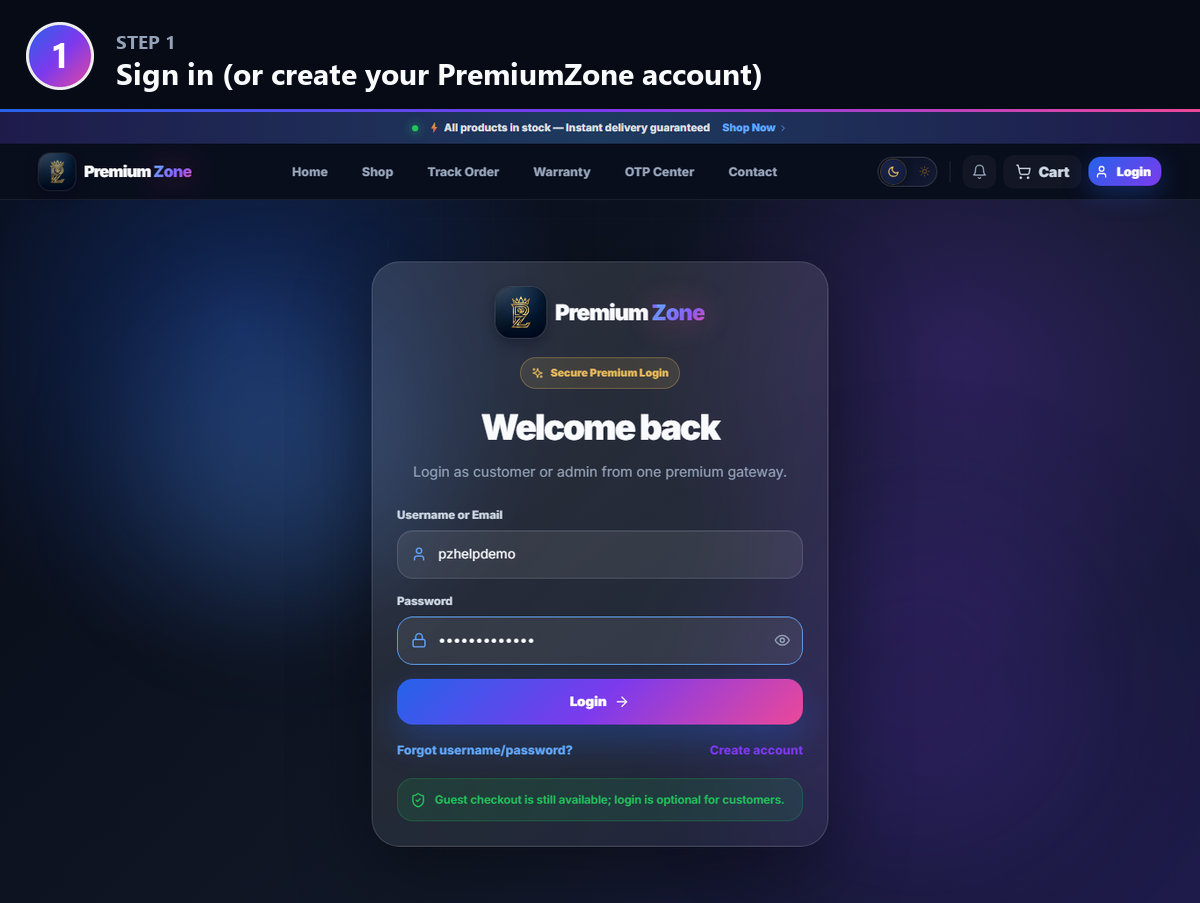
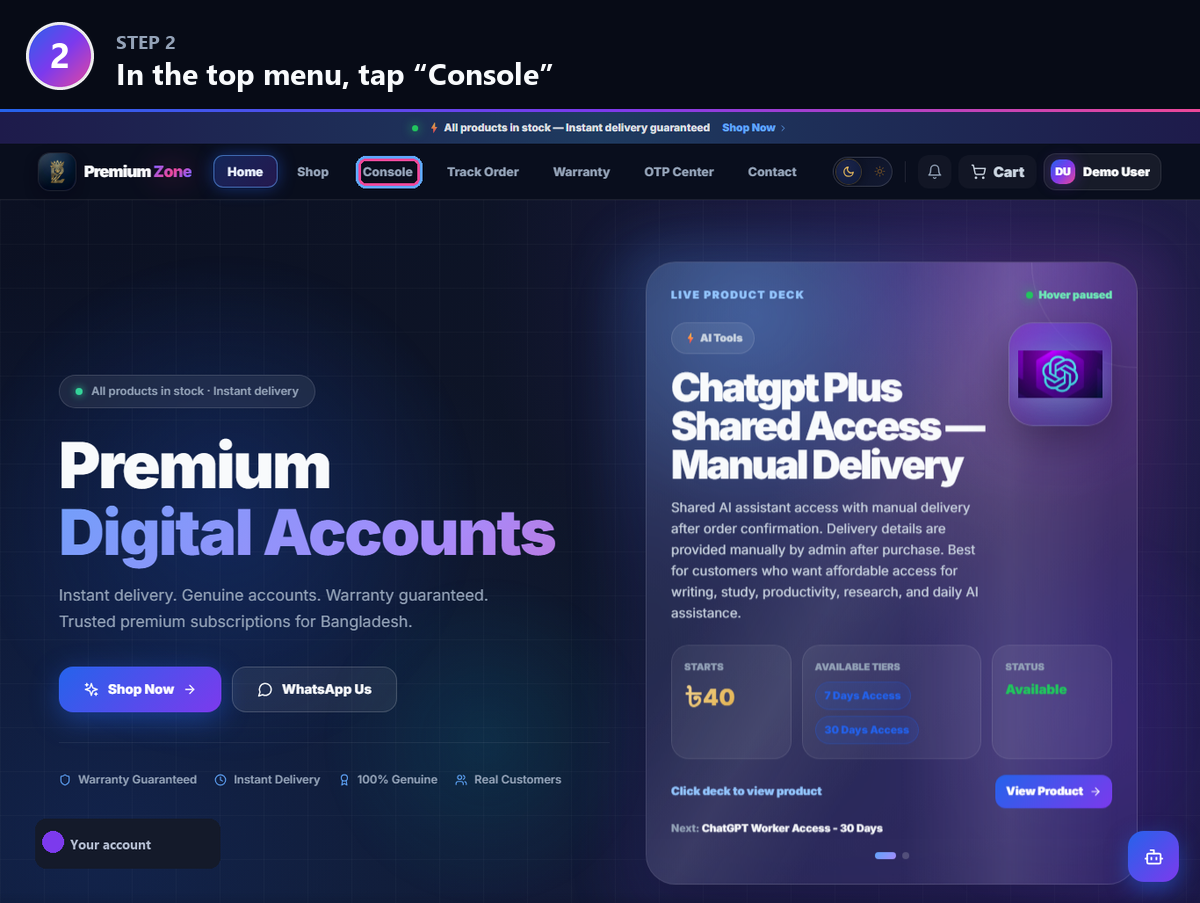
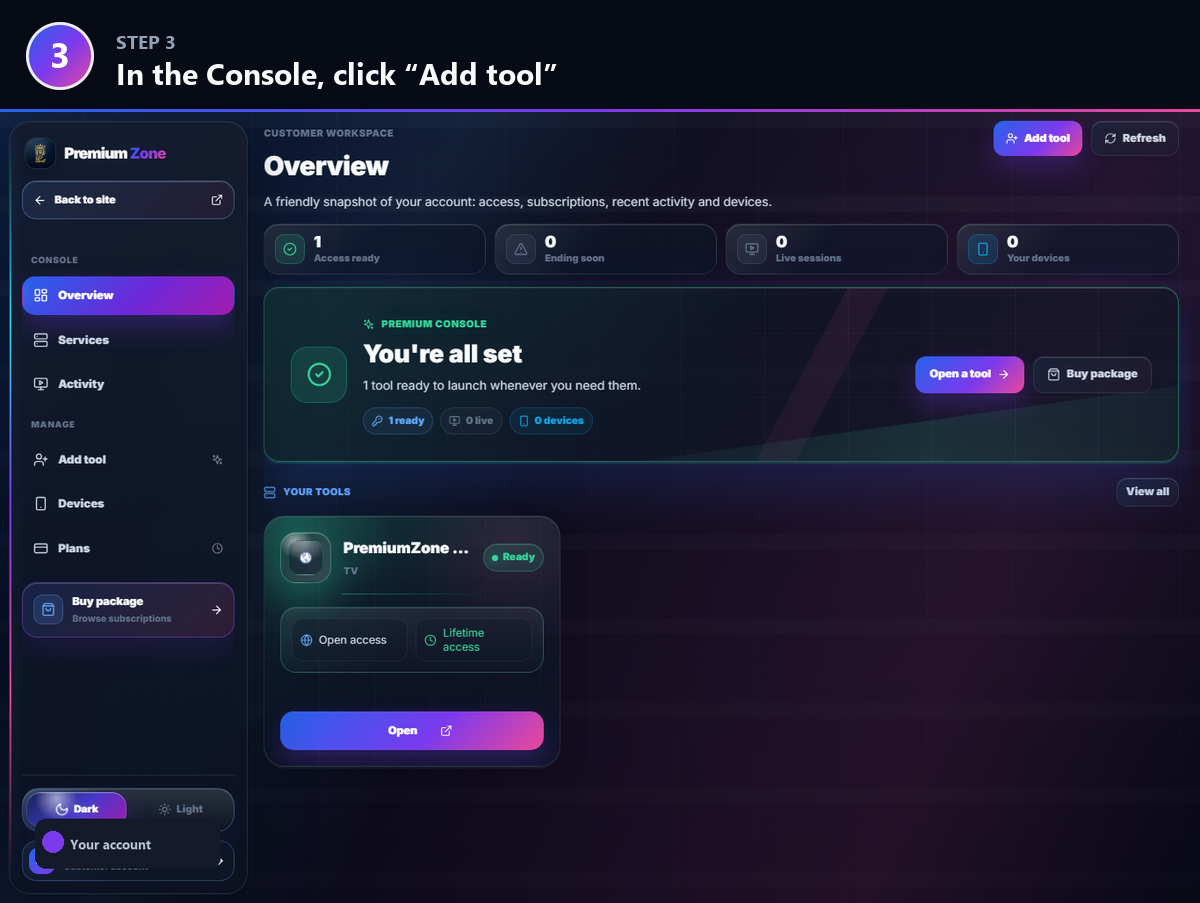
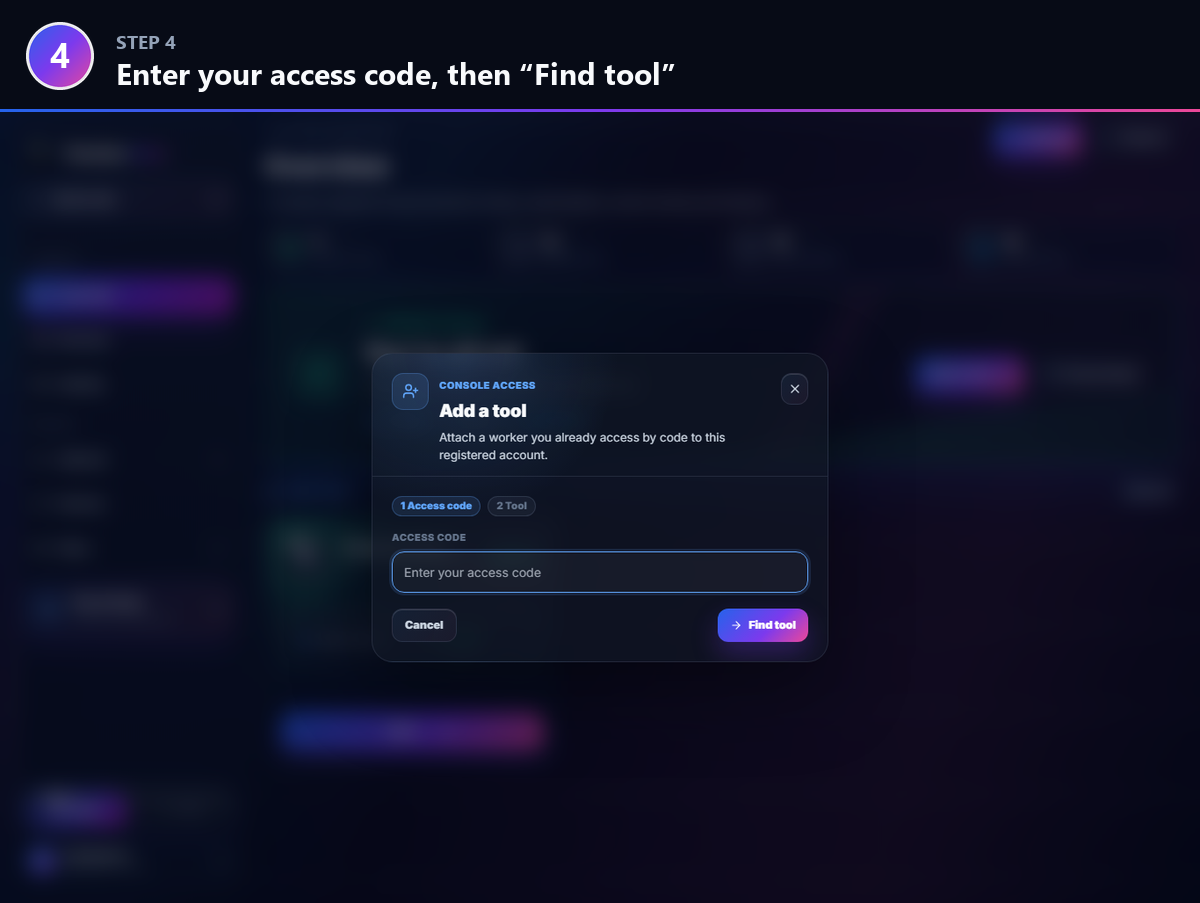
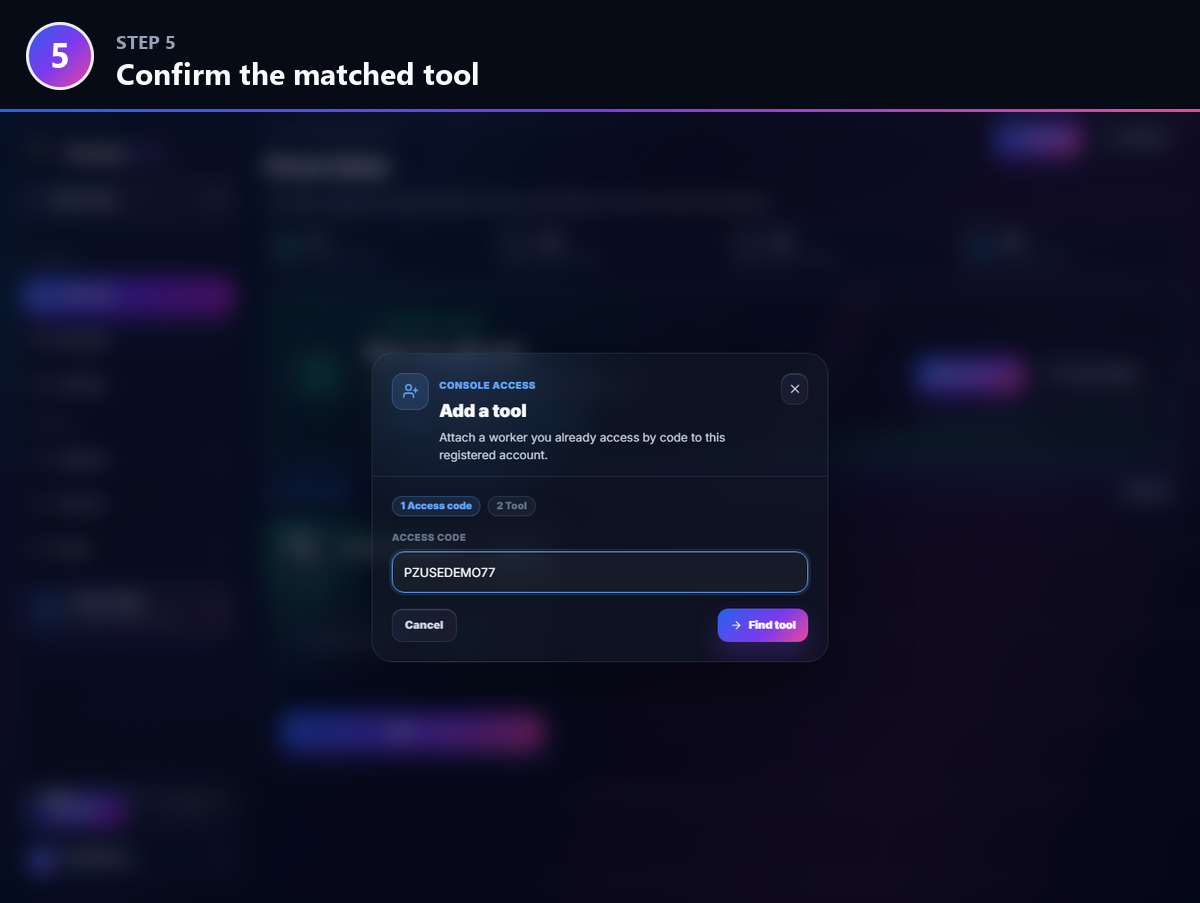
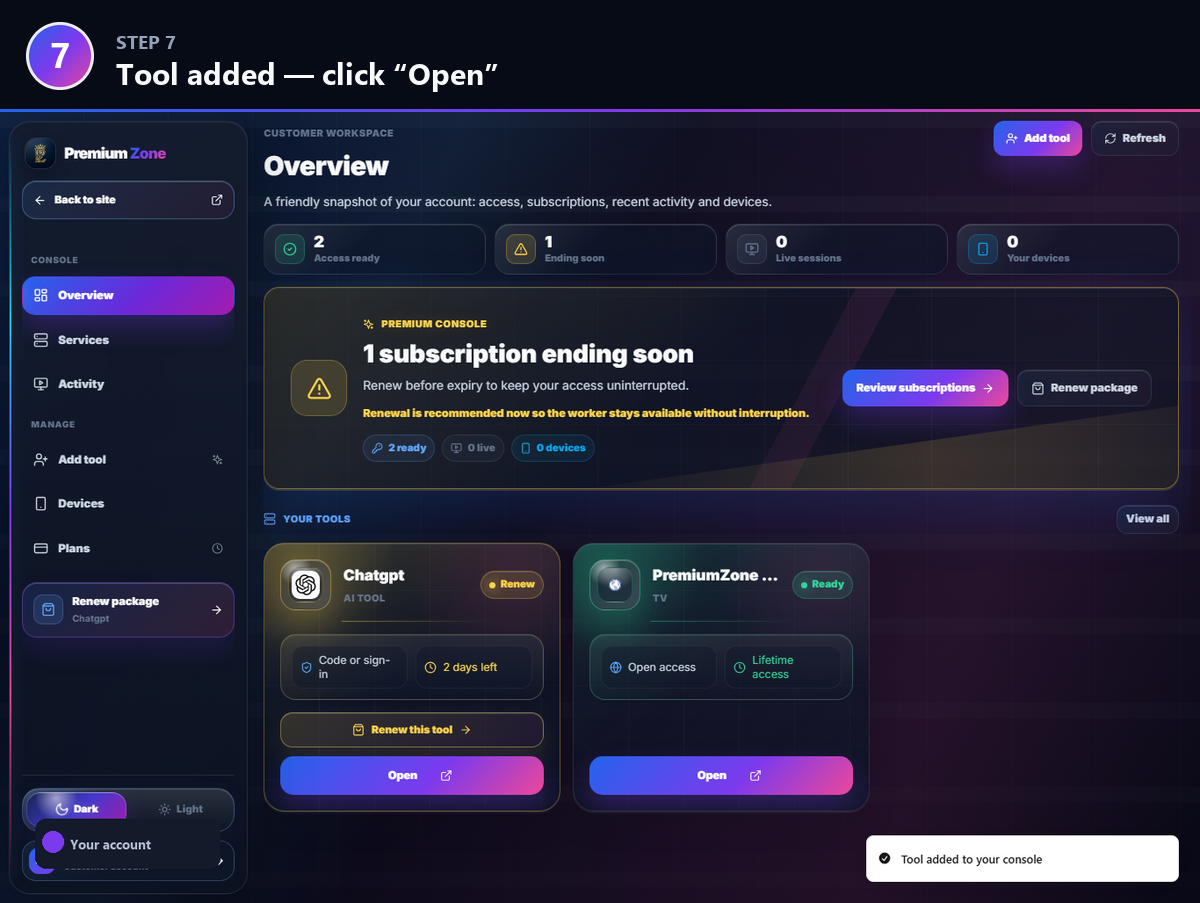
Method A — Console (recommended): add the code to your PremiumZone account so all your tools live in one place and open with a click.
Method B — Direct: open the tool’s own link and enter your code right there. Nothing to sign up for.
Each tool has its own link (e.g. ChatGPT = chat.premiumzone.me). Either way, the first time you use a code you’ll create a short username + passcode — your personal key for that tool.
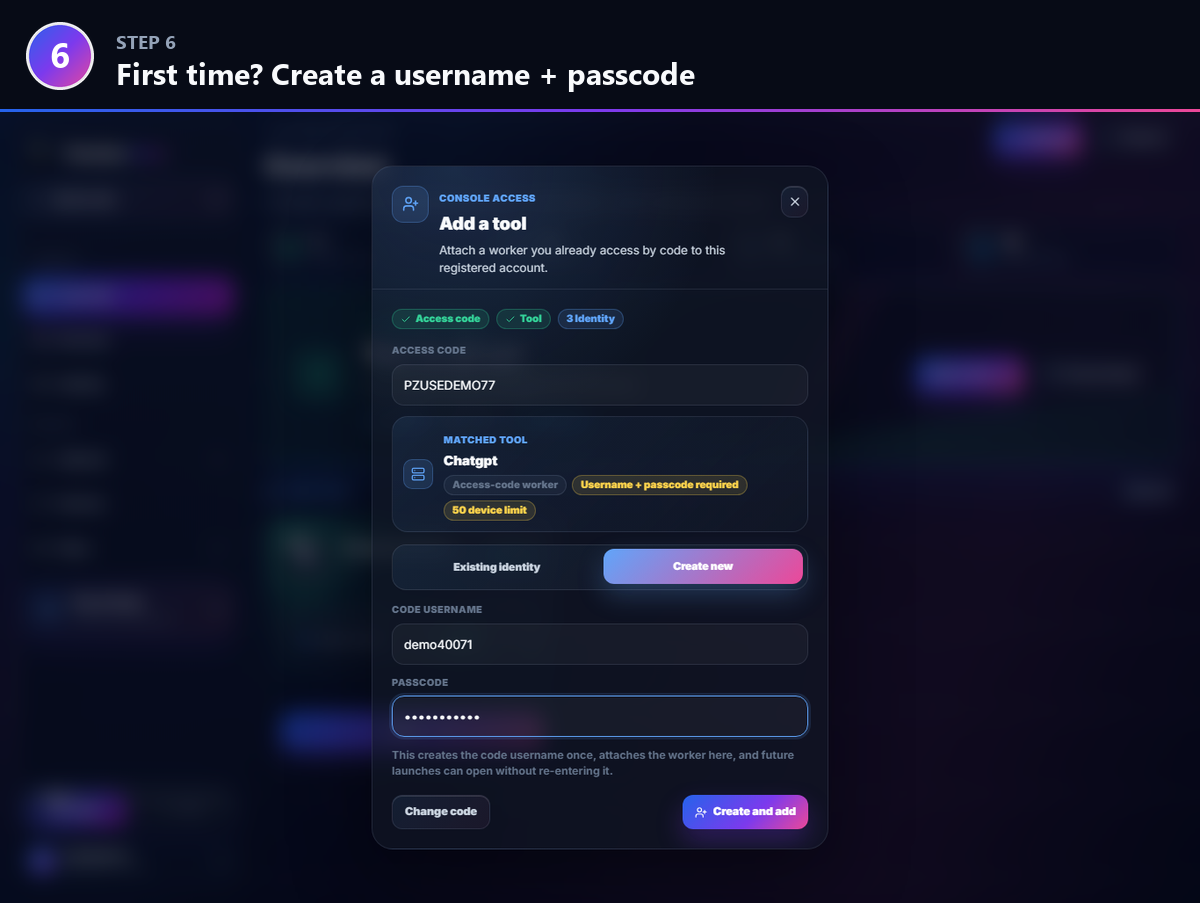
Your username + passcode (first time only)
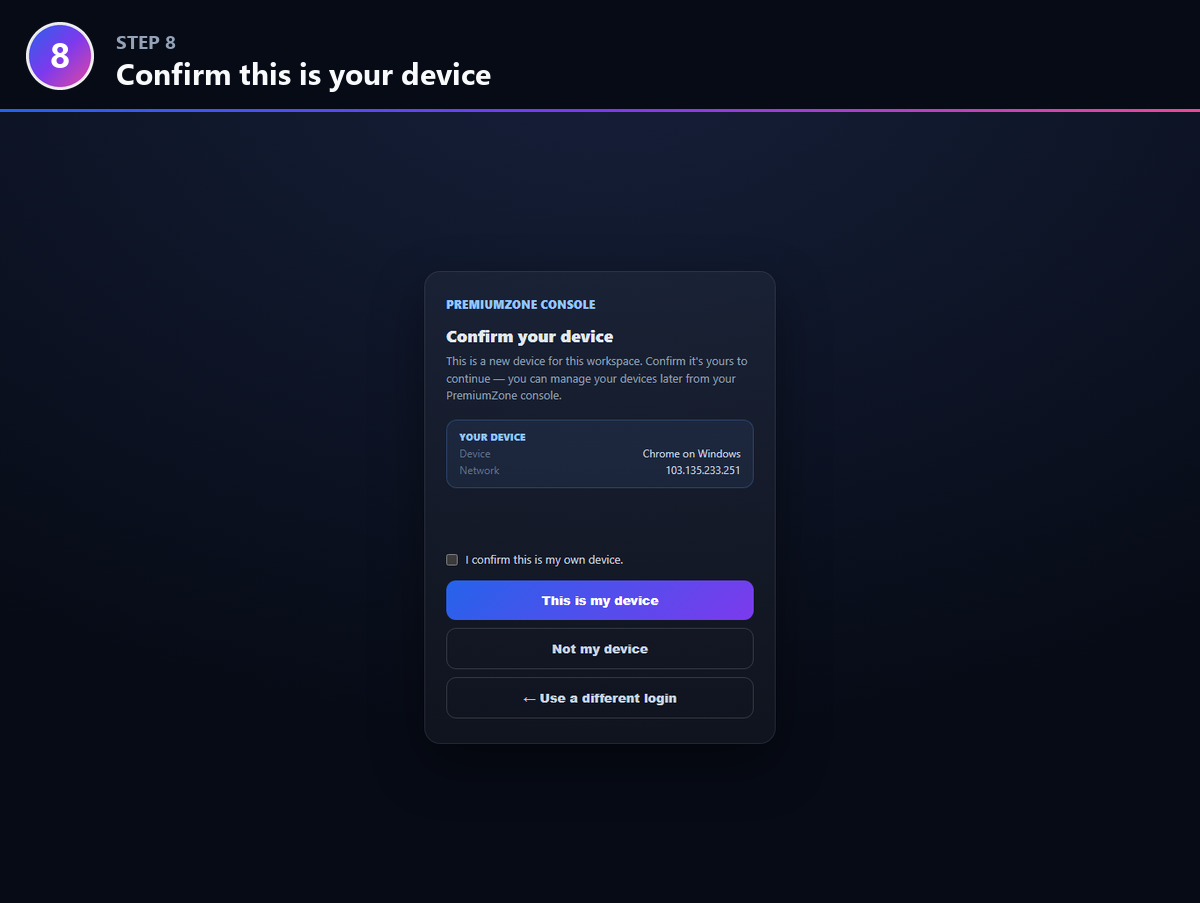
Device limit — this is normal
Keep your code private
Code not working, or can’t get in?
Double-check you copied the whole code from your delivery email (inbox + spam). If it still won’t open, contact the admin — we’ll sort it out fast.