
How to buy an access code
Order a tool and receive your access code by email — every step, with a screenshot.
Go to the Shop and open the product
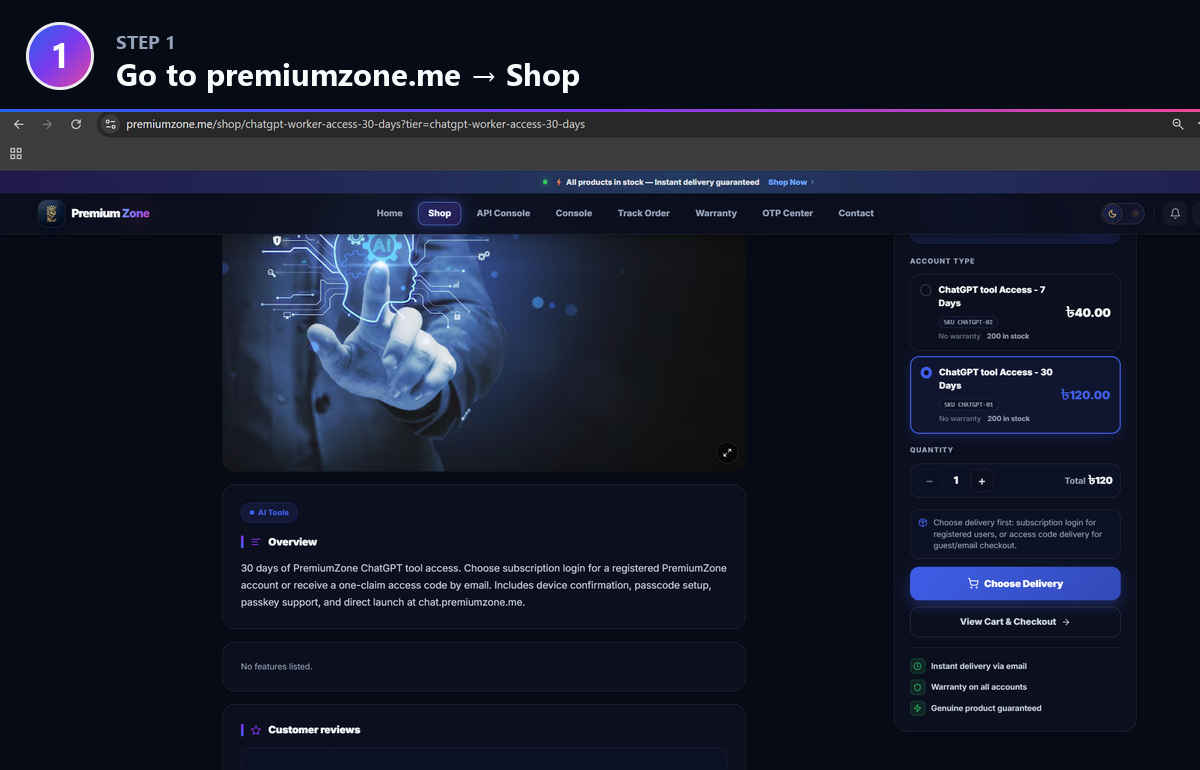
Visit premiumzone.me, open the Shop, and click the tool you want — for example ChatGPT Tool Access. Every product opens on its own page with pricing, stock and delivery options.
Choose your plan and quantity
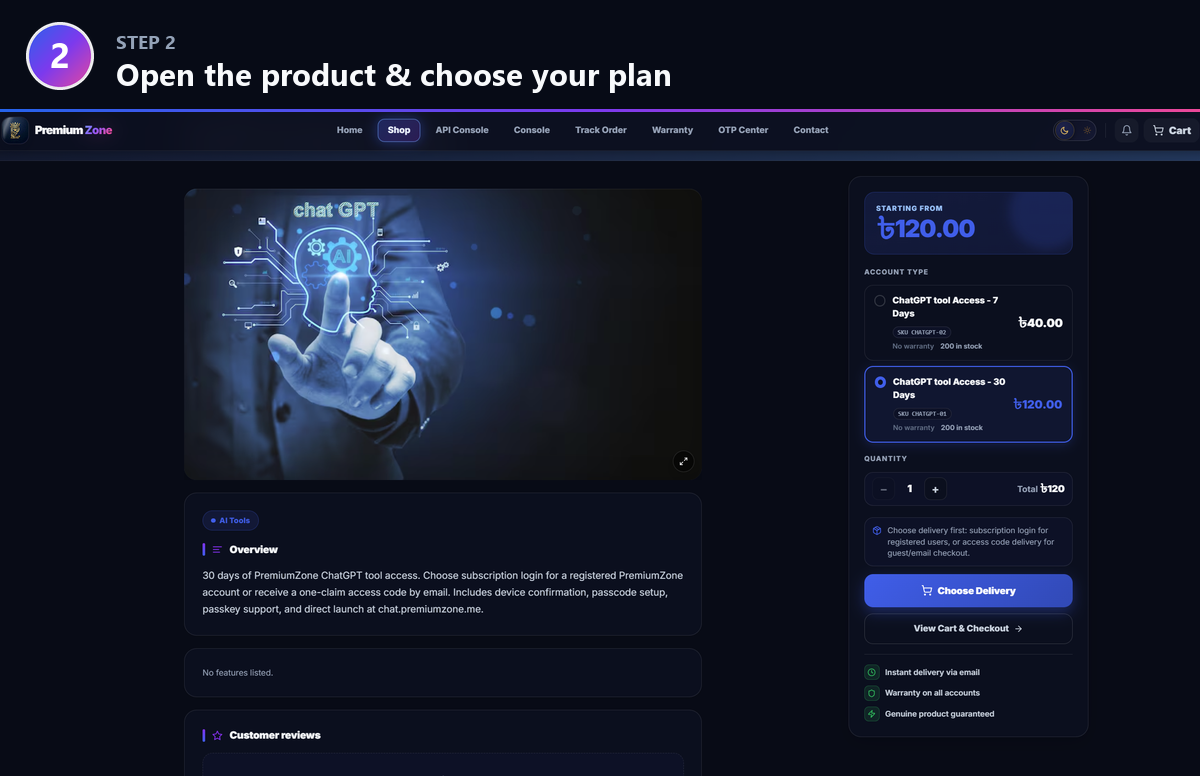
On the product page, pick the Account Type / duration that suits you (for example 7 Days or 30 Days) and set the quantity. The price and total update instantly.
Choose Delivery → Access code
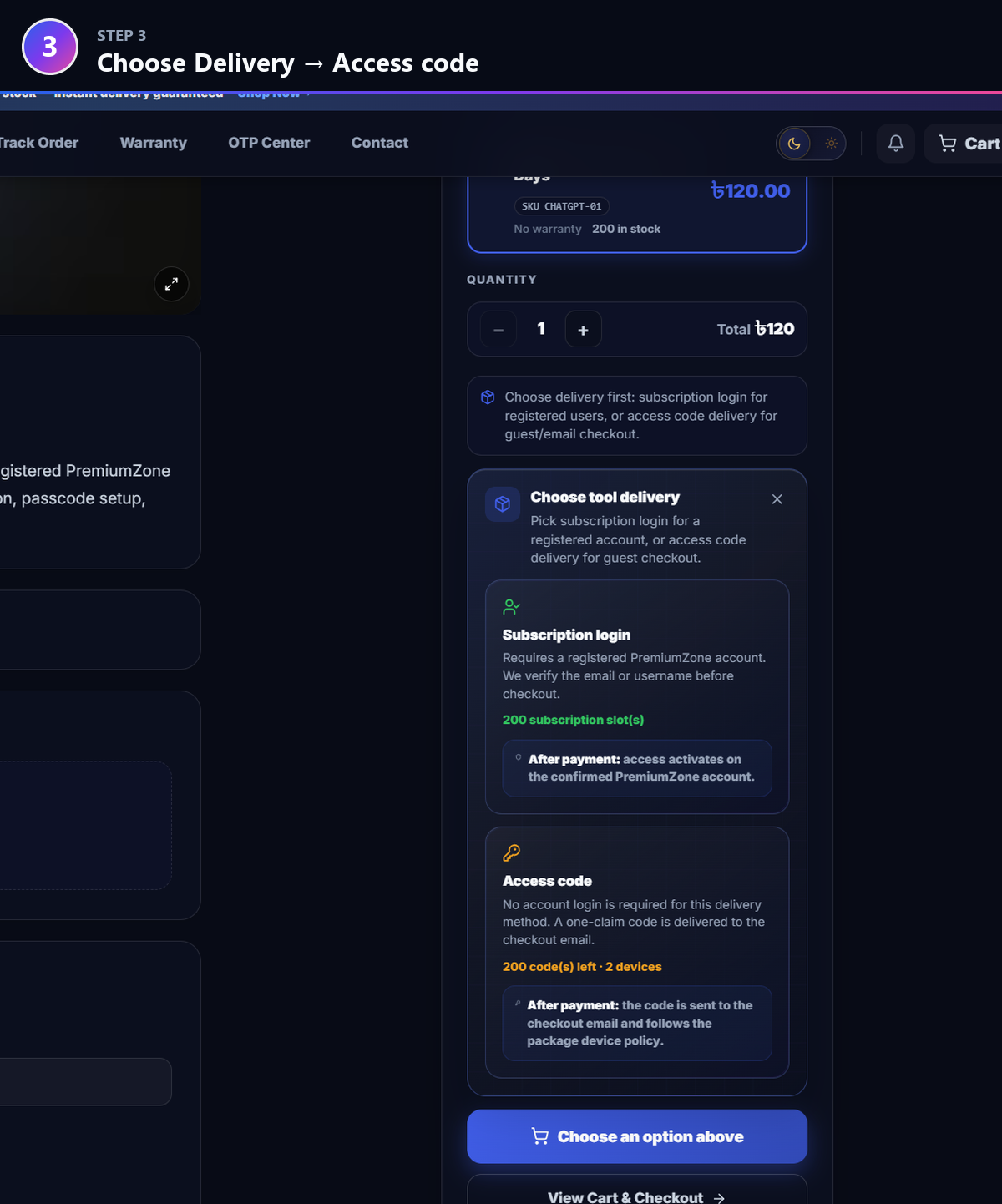
Click “Choose Delivery”, then pick the Access code method. No account login is required — a one-claim code is sent straight to your checkout email. (Subscription login is for registered PremiumZone accounts instead.)
The item is added to your cart
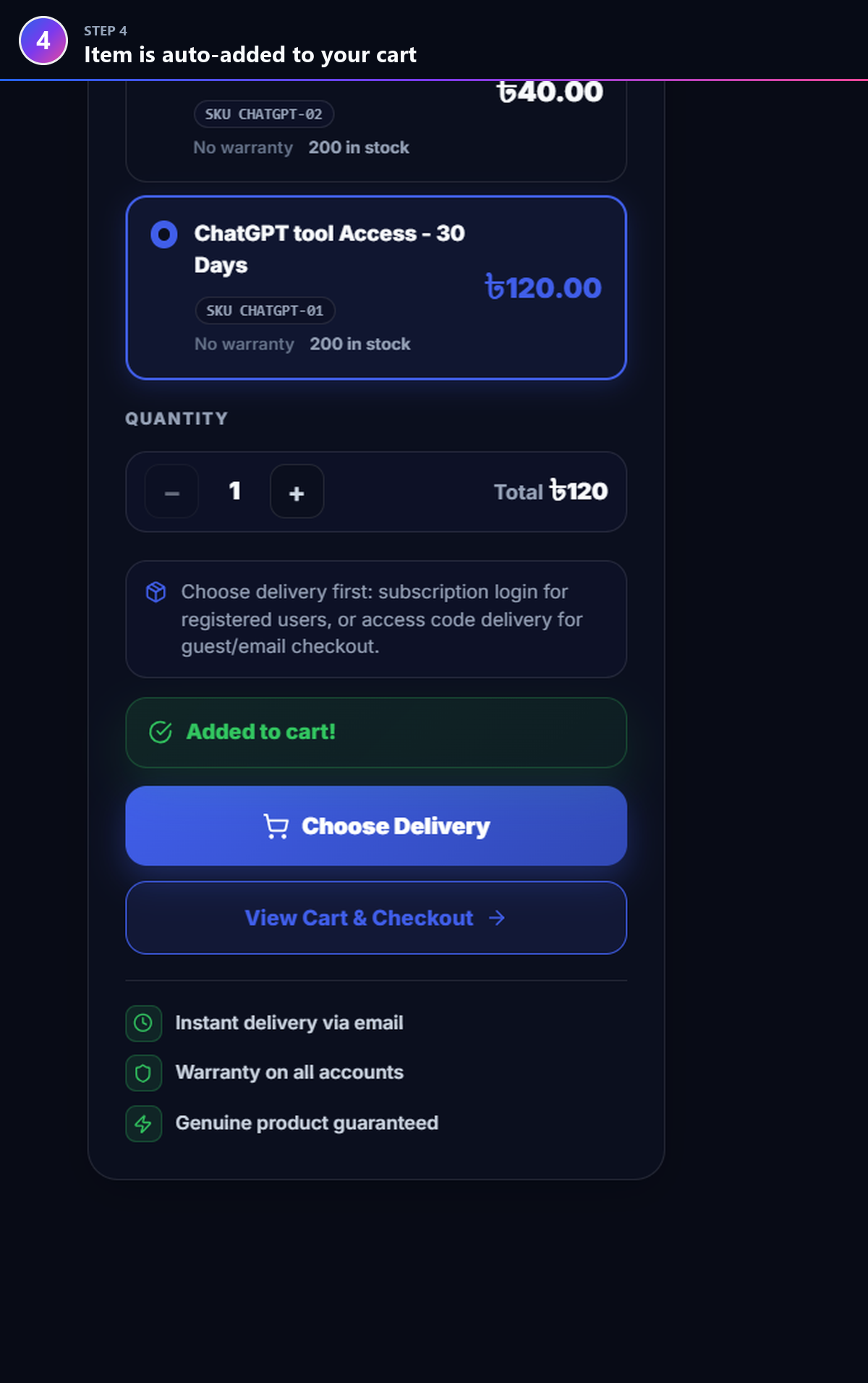
Once delivery is chosen, the item is added to your cart automatically. You’ll see an “Added to cart!” confirmation.
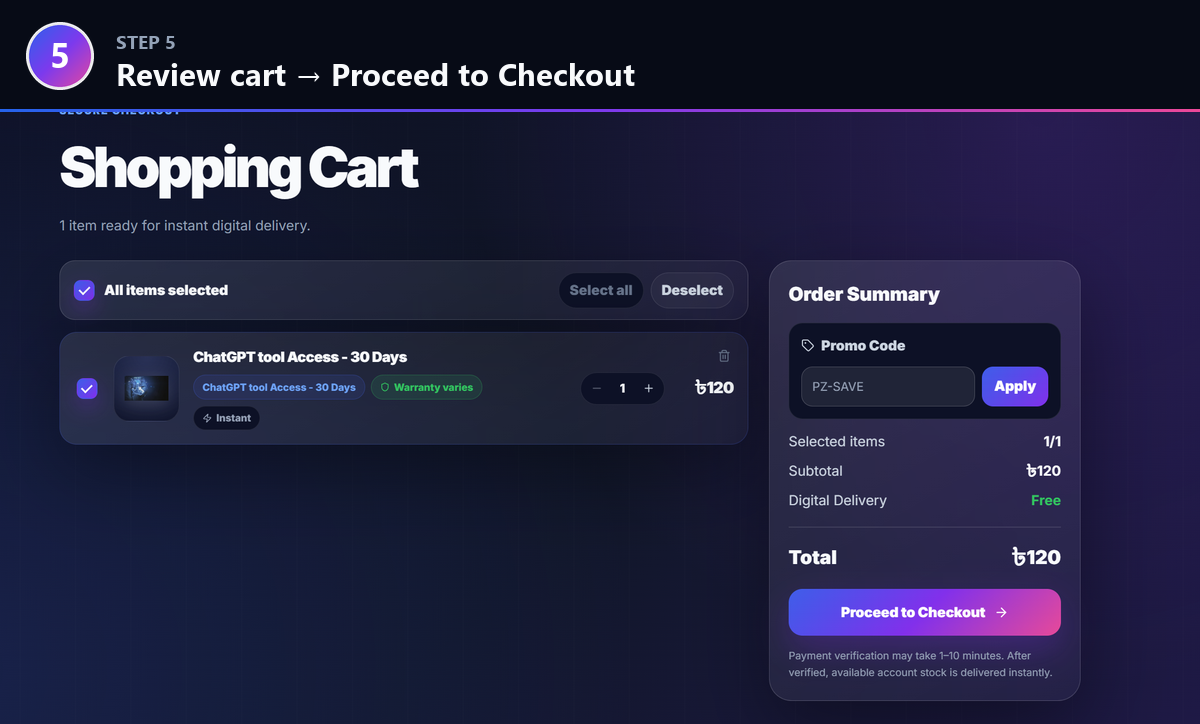
Review your cart and proceed to checkout
Open “View Cart & Checkout”, confirm the item, quantity and total, then press “Proceed to Checkout”. You can apply a promo code here if you have one.
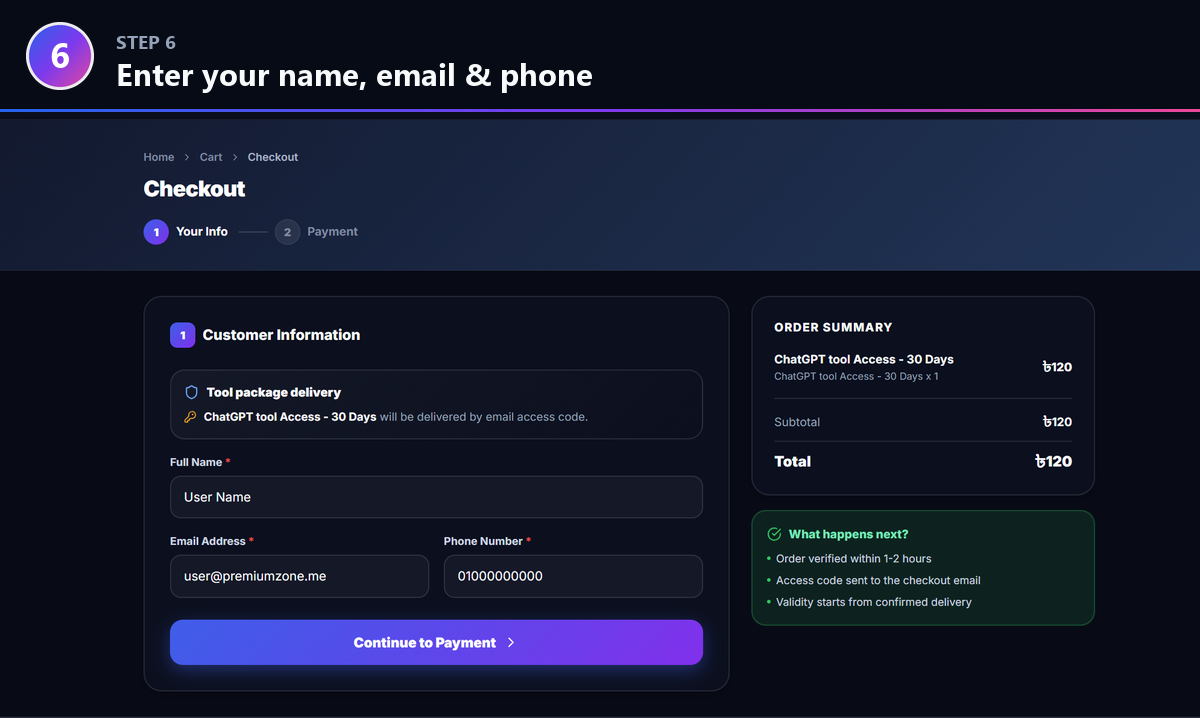
Enter your delivery details
Fill in your Full Name, Email and Phone number, then continue to Payment. IMPORTANT: the access code is sent to this email — enter it carefully.
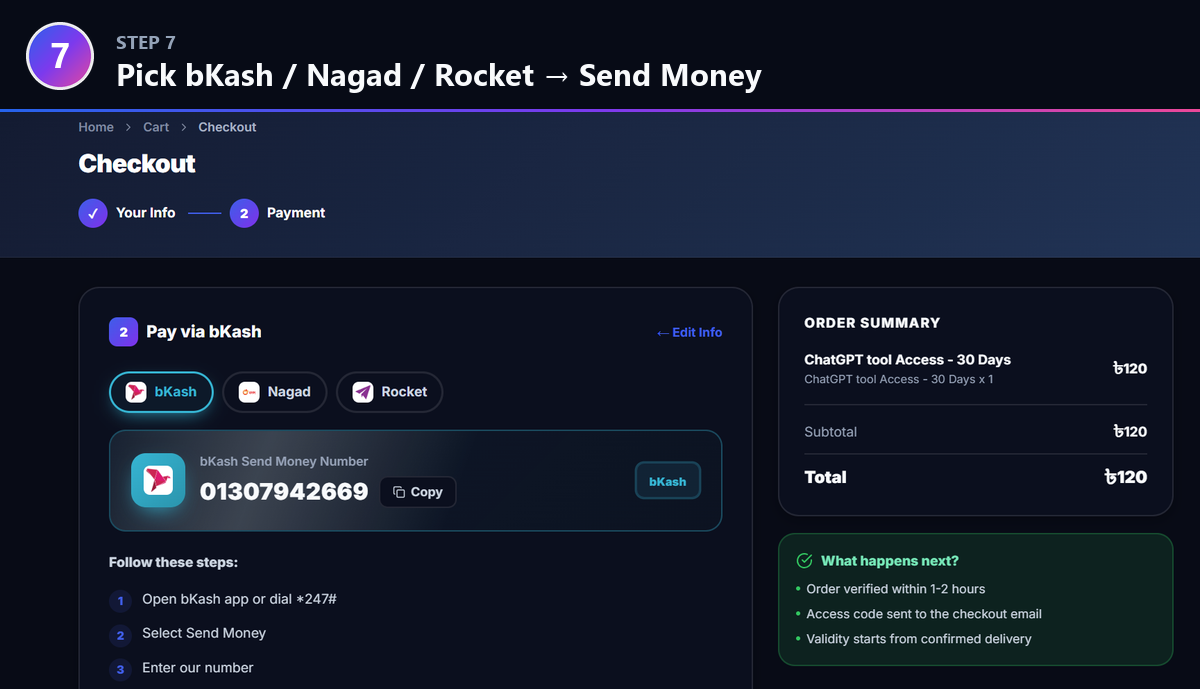
Choose a payment method and Send Money
Pick bKash, Nagad or Rocket. Copy our Send Money number, open your wallet app (or dial the USSD code) and send the exact order amount.
Follow the steps and copy your TRX ID
Complete the transaction in your wallet app. After it succeeds you’ll get a confirmation SMS — copy the Transaction ID (TRX ID) from that SMS.
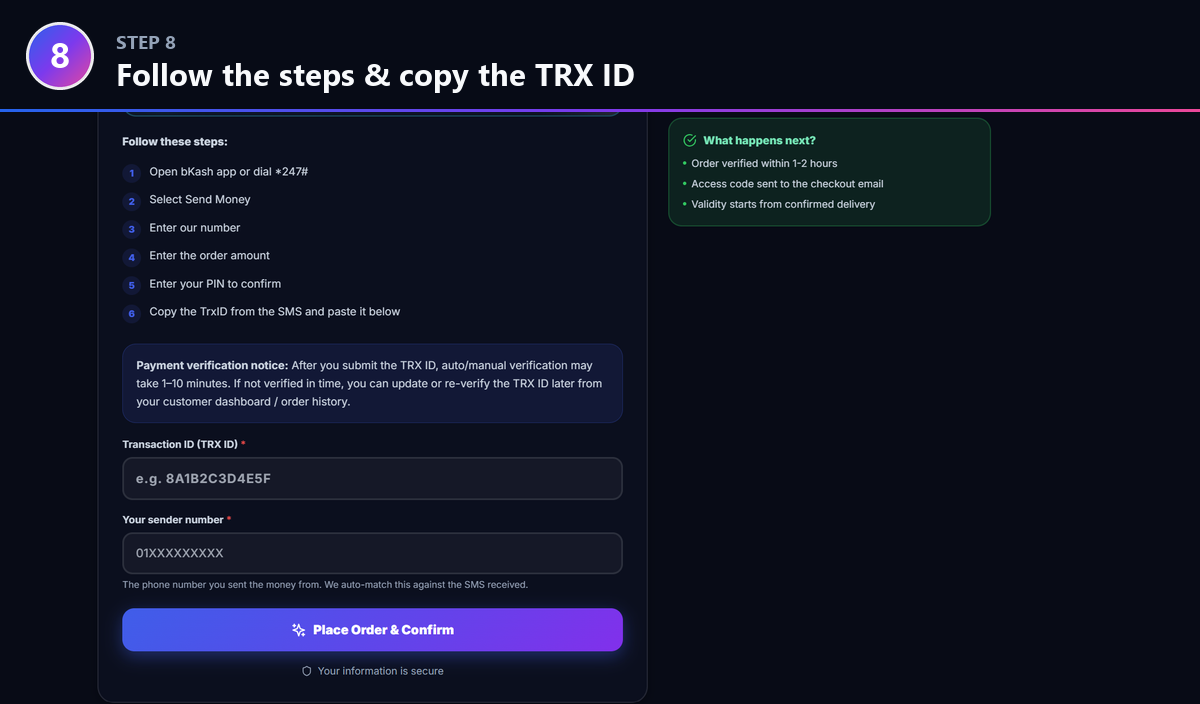
Paste the TRX ID and place your order
Back on the checkout, paste the TRX ID and your sender number, then press “Place Order & Confirm”. We auto-match this against the payment we receive.
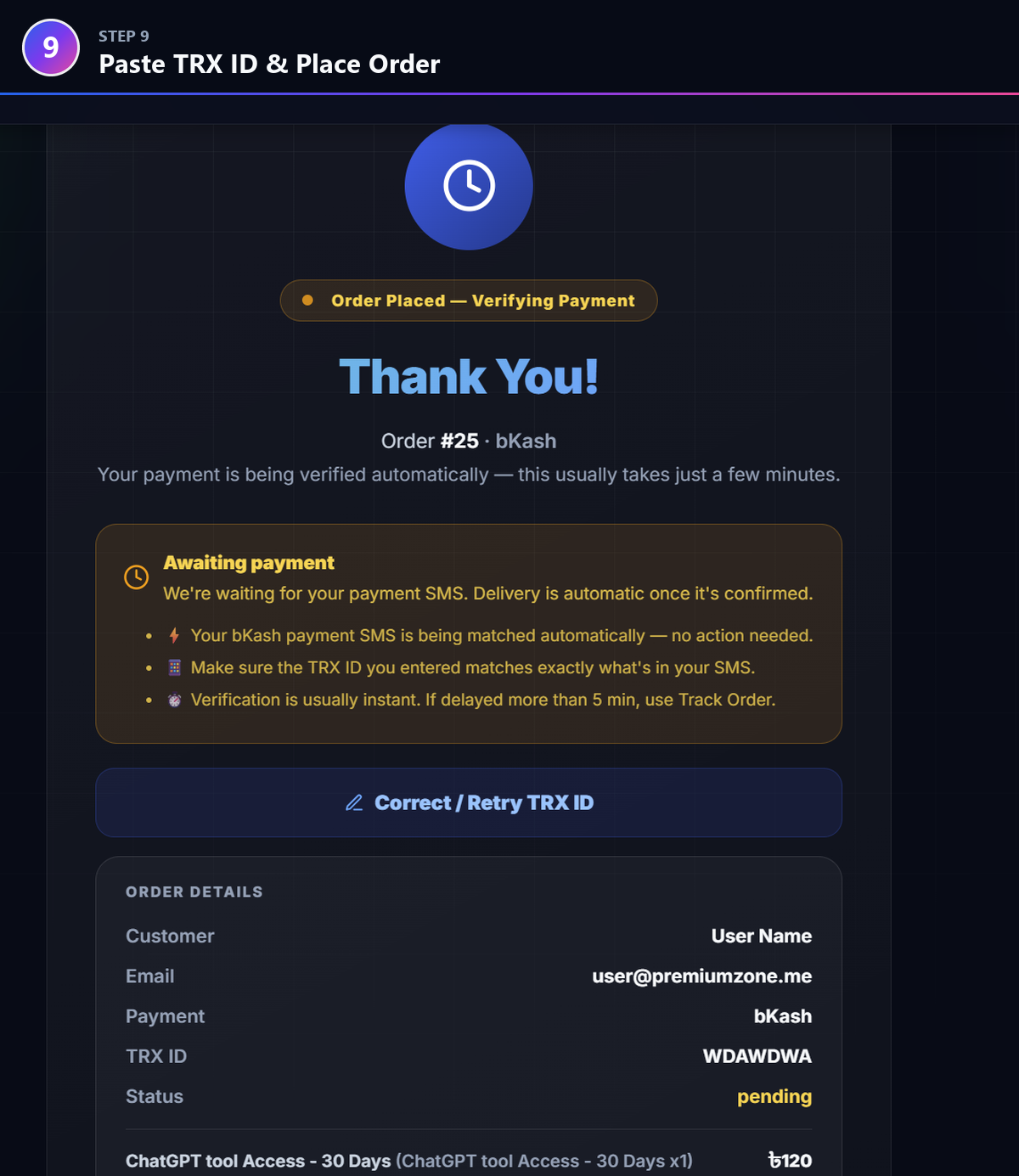
Order placed — payment auto-verifies
Your order is placed and verification starts automatically. This usually takes just a few minutes (1–10 min). If it’s delayed you can re-check or update the TRX ID from your order page.
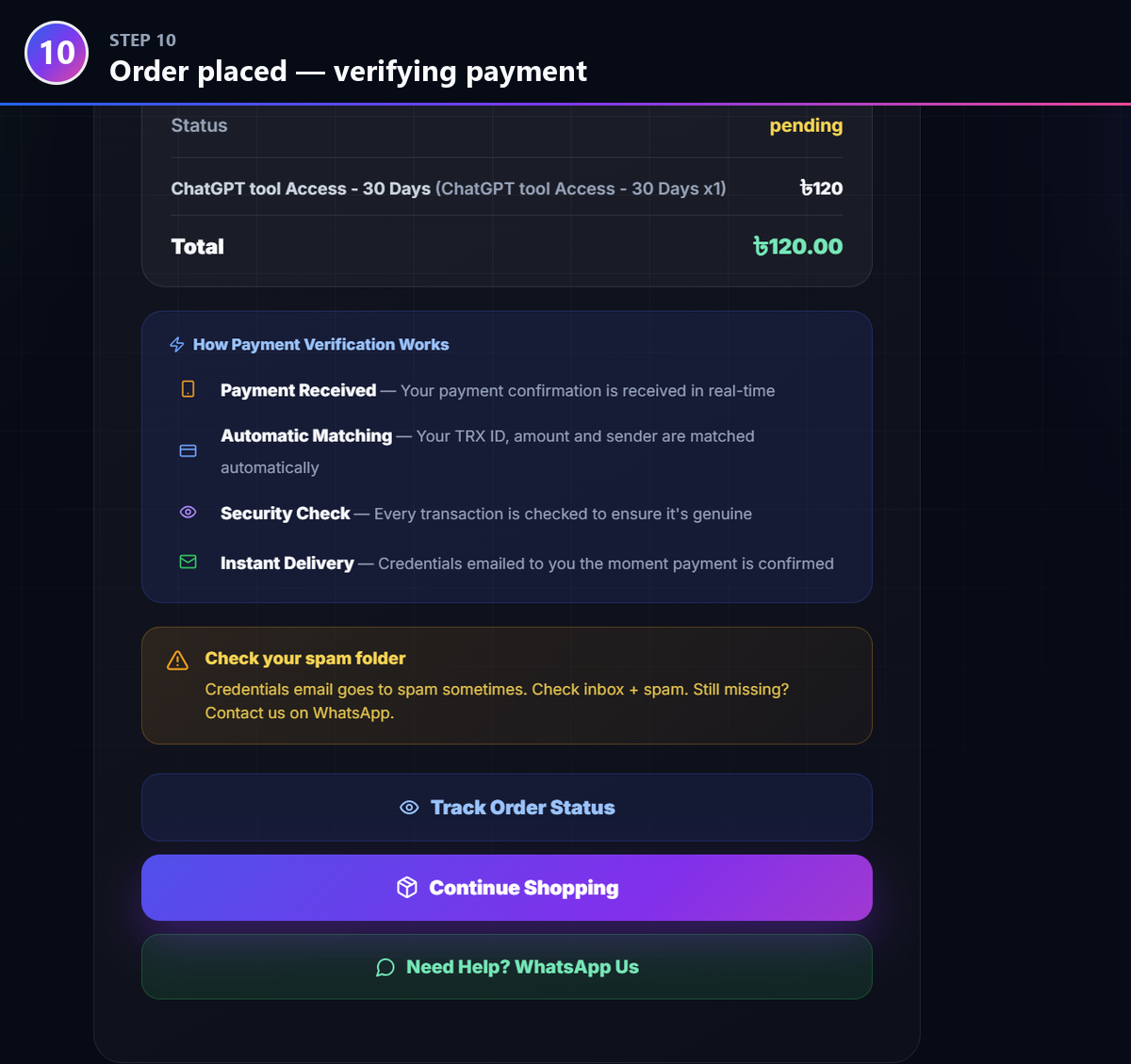
Check your email — inbox AND spam
The moment payment is confirmed, your access code is emailed instantly to your checkout email. Check your inbox and your spam / junk folder — delivery emails sometimes land in spam.
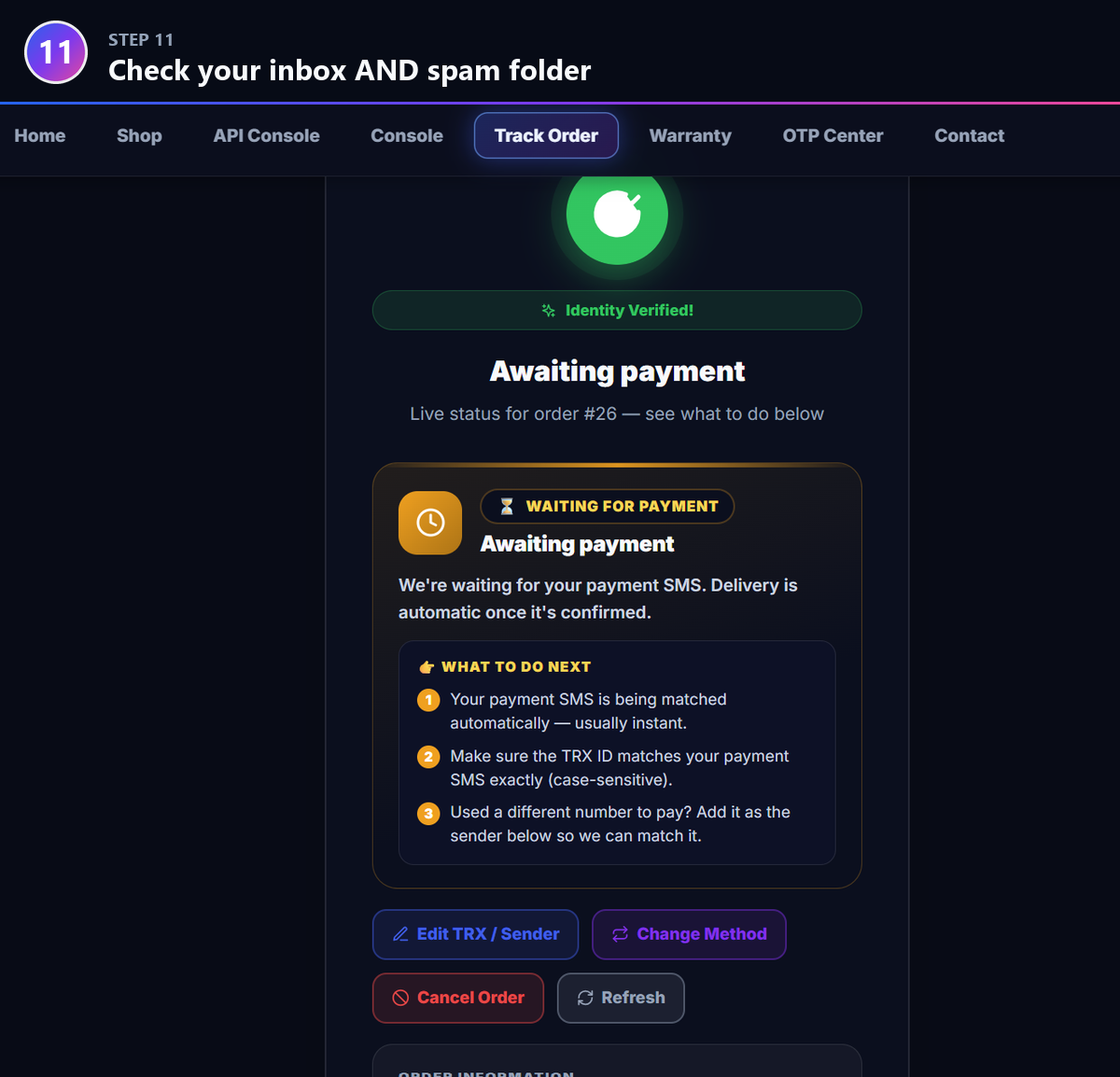
Track your order any time — Delivered!
Use Track Order to watch the live status move from “Awaiting payment” to “Delivered”. Once it shows Delivered, your access code is in your email — ready to use.
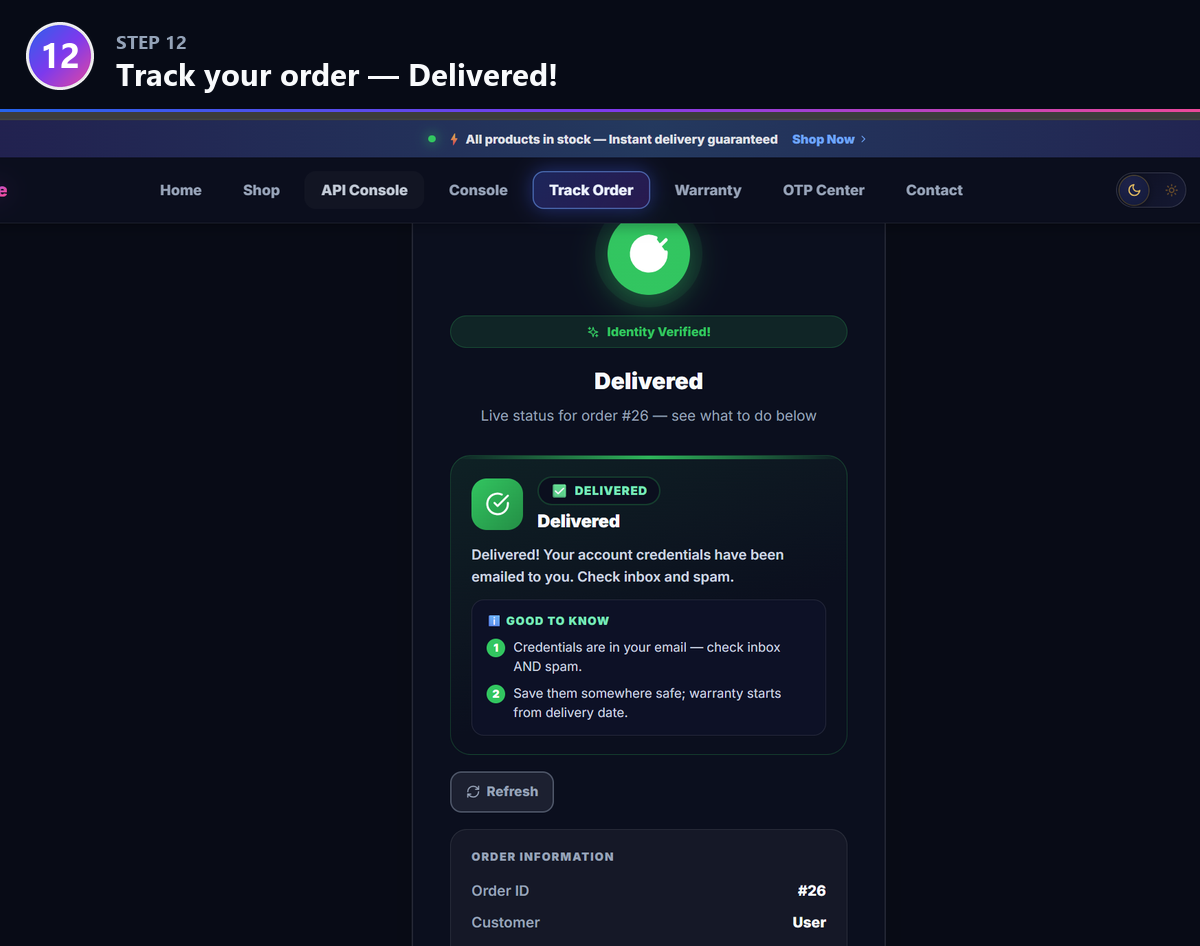
Verification usually takes 1–10 minutes
Check your spam / junk folder
Payment confirmed but no code within 1–2 hours?
If your payment is confirmed and you still haven’t received your access code within 1–2 hours (after checking inbox + spam), contact the admin right away — we’ll deliver it manually and fast.